Tablet
Explore everything you need to know to master your DoorDash Tablet.

How to Manage Your Store on Your DoorDash Tablet
You can use your DoorDash Tablet to manage daily store operations in real time — like adjusting store hours, updating kitchen status, managing menus, and handling orders. This guide walks through the most common tablet tasks step by step, so you can make quick updates without leaving your store.
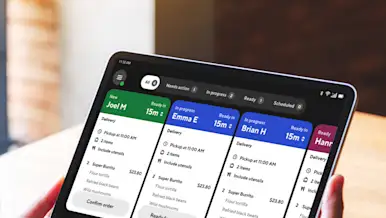
Adjusting Existing Orders in the DoorDash Tablet
You can adjust active and scheduled orders directly from your DoorDash Tablet. This includes updating pickup times, contacting customers or Dashers, managing out-of-stock items, issuing refunds or replacements, and contacting Support — all from the Live Orders screen.

Why Is DoorDash Delivery Unavailable for My Store?
DoorDash delivery may be unavailable if your store is paused, temporarily deactivated, outside of set business hours, or experiencing operational issues like cancellations or long wait times. These issues are tracked as downtime, which you can review and reduce directly in the Merchant Portal to restore availability and keep accepting orders.

5 Ways to Simplify Your Restaurant’s Delivery Orders with DoorDash POS Integrations
Learn how POS integrations from DoorDash Preferred Integration partners can help reduce manual work, minimize errors, and save time.

How to Operate and Manage Your Store on DoorDash
Learn about DoorDash's tech tools, including the Merchant Portal, DoorDash Tablet, Business Manager app, and POS Integrations.

How to Access Your DoorDash Tablet
You can access and start using your DoorDash Tablet as soon as it arrives. Turn the tablet on, connect to Wi‑Fi, and sign in to DoorDash Order Manager to accept orders, track Dashers, and manage your store. This guide walks through receiving your tablet, powering it on, signing in, and resetting your password if needed.