Customers have come to expect seamless restaurant delivery. With the National Restaurant Association reporting that more than half (51%) of U.S. consumers consider ordering delivery and takeout from restaurants “an essential part of their lifestyle,” it’s more important than ever to ensure your restaurant can efficiently receive and fulfill delivery orders.
To meet these expectations, you need an integrated system that helps you reduce manual steps and minimize errors. That’s where DoorDash’s Preferred Integration partners come in.
DoorDash Preferred Integration partners are POS and middleware providers offering POS integrations for restaurants that meet DoorDash’s standards for integration quality, reliability, and feature support. To earn Preferred status, integrations must meet defined performance thresholds and support features that help reduce cancellations, improve reconciliation, and support more consistent day-to-day operations.
These include capabilities like:
Real-time menu syncing
Real-time item availability checks
Order ready signals
Integrated promotions
Detailed order error reporting
Self-serve store setup and activation.
If you’re choosing or have chosen a Preferred Integration partner, it means your provider meets DoorDash’s standards for a stable, well-supported connection between your POS or middleware system and DoorDash.
Here are five practical ways to make your delivery operations easier, faster, and more consistent every day.
1. Keep your DoorDash menu accurate and synced
Your DoorDash menu is your first impression. Keeping it accurate prevents order issues before they start. Over time, discrepancies in pricing or availability can frustrate guests or lead to cancellations.
Set aside a few minutes each week to review your menu. Focus on your top sellers and remove items that are difficult to package or execute during rushes.
If your point-of-sale (POS) provider is a Preferred Integration partner and properly configured, menu changes sync automatically in real time. That means spending less time making manual edits and more time serving customers. This is one of the most helpful benefits of POS integrations for restaurants, especially when managing delivery across multiple channels.
2. Update item availability instantly when something sells out
Running out of a dish mid-rush can create ripple effects — disappointed customers, delayed Dashers, and refunds to process.
The fix is simple: update item availability as soon as it's 86'd (marked out of stock). With DoorDash Preferred Integrations, you don't even need to manually flag it — DoorDash continuously checks your POS inventory directly, so when something runs out, it's automatically removed from your DoorDash menu before a customer can order it.
3. Set realistic prep times for smoother handoffs
Timing matters. If Dashers arrive before food is ready, orders sit. If they arrive late, quality drops.
Regularly adjust your prep times in DoorDash to match your kitchen’s true pace. Some DoorDash Preferred Integrations enable “order ready” signals — sending a notification directly from your POS to DoorDash as soon as an order is complete. Dashers get real-time updates so pickups happen when food is hot and fresh.
4. Reduce tablet management during rush hours
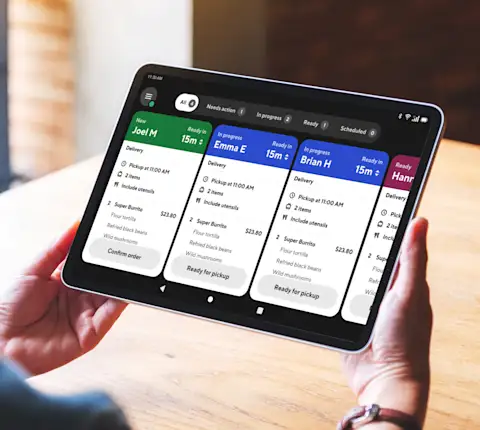
Switching between multiple devices during service slows things down and increases errors. To meet demand, you need POS integrations that can reduce tablet management and keep operations simple — even during busy hours.
Technology upgrades are already top of mind for many restaurants. The National Restaurant Association’s State of the Restaurant Industry 2025 report found that 52% of restaurants plan to invest in upgrading or implementing POS systems — highlighting the importance of finding the right technology to simplify your operations.
If your POS integrates with DoorDash, delivery orders flow more seamlessly into your existing workflow: tickets print automatically and the kitchen stays in sync. That small shift keeps the line moving, reduces missed details, and lets your team focus on food quality instead of screen management.
5. Review your delivery performance data regularly
It’s easy to focus on the next ticket, but a weekly review of delivery data can uncover trends that boost efficiency.
Which items drive the most delivery volume? When are your busiest hours? Are prep times consistent between in-store and delivery? You can find answers in the Merchant Portal. If your provider supports integrated promotions, your payout data will also include who funded each promotion, so reconciling at the end of the month is straightforward, with no guesswork on promo splits.
Explore DoorDash Preferred Integration partners to find a POS integration that connects with DoorDash Marketplace and fits your existing setup.