Customer feedback at your restaurant often arrives from five different places. You spot a new Google review one night, find comment cards by the register the next morning, and hear about cold fries from a regular on their way out. With no system connecting those messages, sorting through them pulls you away from the kitchen. This guide covers the customer feedback tools that make it easy for diners to share their thoughts, plus how to act on what they tell you.
TL;DR
Online reviews influence where people choose to eat, which makes tracking customer feedback part of everyday restaurant operations.
Guest feedback reaches restaurants through four main channels: direct input, online reviews, social media, and ordering patterns.
QR code surveys, follow-up emails, and checkout prompts on your point-of-sale (POS) system make it easier for guests to respond.
Acting on repeated comments instead of one-off opinions helps you prioritize fixes to food quality and service.
A prompt, calm reply with a clear fix can keep an unhappy guest coming back.
Bringing all your reviews into one dashboard saves time and keeps your replies consistent.
Why customer feedback is important for your restaurant
When customer feedback arrives in bits and pieces, it becomes easy to treat as background noise. A two-star review sits unanswered for a week, or a comment card about slow service lands in a drawer. On its own, each message seems too small to act on.
Taken together, those messages offer some of the clearest customer insights you can collect. Guests tell you in their own words how they feel about:
The food quality and portion sizes on your menu
Service speed and friendliness from your staff
The ambiance of your dining room
Order accuracy for pickup and delivery
Tracking that input over time gives you a direct read on customer satisfaction across the whole dining experience.
Public ratings raise the stakes. According to ReviewTrackers, 33% of diners won't eat at a restaurant with less than a 4-star rating on sites like Google, Yelp, and TripAdvisor.
Asking for feedback is only half the job. In a GatherUp survey, 30.5% of respondents said they wouldn't take the time to leave feedback or write an online review, even after a personal ask. The way you ask plays a big role in whether guests respond. The next sections cover customer feedback tools that make responding quick and simple.
Types of customer feedback restaurants should track
Before picking any tools, take stock of where guest feedback already comes from. It usually falls into four categories that span the full customer journey, from a diner's first search to their tenth order.
Direct feedback. Surveys, comment cards, and in-person feedback travel straight from guests to you. Diners can be more candid when they know you’re the only one seeing the messages.
Online reviews. Customer reviews on Google, Yelp, TripAdvisor, and DoorDash are public. Prospective guests read them before deciding where to eat or order.
Social media mentions. Tagged photos, comments, and direct messages capture how diners react in the moment. Because these posts don't arrive as formal feedback, they're easy to miss.
Behavioral signals. Repeat orders, online ordering trends, and sales data from your POS system reveal what guests prefer without a single written comment. Loyalty programs also show which regulars return and how often.
Keeping up with all four requires checking several apps, inboxes, and review sites.
7 customer feedback tools and methods for restaurants

Lowering the effort it takes to respond helps more guests share feedback. You may already have access to several of these channels, and many need little setup. The seven methods below range from paper cards to software that brings every review into one place.
QR code and tablet surveys
Guests scan a QR code with their phone camera and open a short online survey. Common spots for QR codes include:
Table tents
Receipts
Takeout bags
For guests who prefer not to use their phone, set up a tablet near the exit or register.
Survey tools like SurveyMonkey let you build customer feedback surveys and link them to a QR code. Keep your survey questions short. Pair a quick rating with one or two open-ended questions, like "What should we add to the menu?" Polls and quizzes, such as voting on next month's special, make the ask more fun. Anonymous responses also encourage guests to speak freely.
Setup is simple. QR codes only require printing, and some POS systems include built-in survey features.
Best for: dine-in guests who have a moment at the table.
Post-visit follow-up emails and texts
Follow-up emails and texts reach guests after they leave, while the meal is still fresh in their minds, to encourage more responses.
These email surveys work well for short scoring questions:
Net Promoter Score (NPS): asks how likely a guest is to recommend you, on a scale of 0 to 10
Customer satisfaction score (CSAT): asks guests to rate a specific visit or order
Customer effort score (CES): asks how easy it was to order, pay, or book a table
The larger your contact list, the more guests this method reaches. Collect emails and phone numbers through online ordering, reservations, and your customer relationship management (CRM) tool, the software that stores guest contact details and order history.
Best for: takeout, delivery, and online ordering guests.
POS-integrated feedback prompts
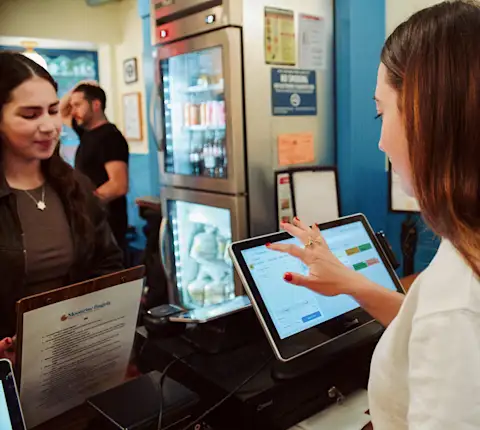
A rating prompt on the payment screen reaches guests at checkout, while they're already tapping the screen. Because it appears during payment, you collect real-time feedback before the guest walks out the door.
This method also runs on equipment you own. Some POS systems can trigger a rating request automatically, so you don't need another tool or login.
Best for: counter-service and quick-service restaurants.
In-person conversations and comment cards
Table visits and comment cards are the most familiar ways to collect in-person feedback. Their main advantage is the chance to ask a follow-up question on the spot. Limit comment cards to three or four questions so guests finish them. During table visits, ask how the meal is going and fix any problem right then and there.
Best for: sit-down restaurants with regular guests.
Social media monitoring
Diners post photos, tag your location, and send direct messages on social media. Check your tags, comments, and messages on a set schedule, since they won't arrive in your feedback inbox. Monitoring doesn't require a full social media strategy, only a regular habit of reading what guests post.
Best for: restaurants with an active following online.
Online review platforms
According to OpenTable data cited by ReviewTrackers, 90% of diners research a restaurant online before choosing where to eat.
Start with your Google Business Profile (GBP), your restaurant's listing in Google Maps and search results. Keep your hours, menu, and photos current, and reply to reviews there first. Yelp, TripAdvisor, and DoorDash reviews need the same attention, though checking each site one by one takes time.
Best for: every restaurant, regardless of size or service style.
Automated review management tools
Once reviews arrive from several sites, logging into each one pulls hours away from running your restaurant. Automated review management tools collect reviews in one dashboard and help you respond faster. Some also use sentiment analysis (software that sorts comments as positive, negative, or neutral) to speed up feedback analysis.
Guest Experience Management, a tool that's part of DoorDash Direct , gives restaurants on DoorDash Marketplace one place to manage the guest experience. It:
Brings your Google and DoorDash reviews into a single dashboard
Automatically asks guests to leave a review after they order
Drafts AI-generated replies you can edit and post, so you can respond to every review without writing each one from scratch
It works with the review sites you already use instead of replacing them.
Best for: restaurants managing reviews across several sites.
How to manage and act on restaurant customer feedback
Collecting feedback is only the first step. These three habits help you use it to improve the customer experience.
Turn patterns into menu and service improvements
A single complaint about a dish reflects one guest's preference. Three guests mentioning cold soup through different channels points to a kitchen problem. Act once an issue repeats, starting with food quality and order accuracy.
Use feedback to train and coach your team
Keep service comments separate from menu comments. Share notes about speed, friendliness, and order accuracy with staff at pre-shift meetings.
Share positive guest quotes too. Reading praise aloud recognizes staff who do well and shows the whole team what guests value.
Centralize feedback in one dashboard
Sorting feedback works best when you can see all of it at once. Guest Experience Management, the DoorDash Direct tool covered above, gives you that view. With every review in one dashboard, you can spot repeat issues faster and reply without logging into each site.
How to handle negative feedback without losing the guest
A bad review stings, but a thoughtful reply can bring the guest back. Use these four steps each time a complaint comes in.
Respond promptly. A fast reply shows guests you read their feedback and take it seriously. Check new reviews daily so none sit unanswered for long.
Acknowledge the issue without arguing. Thank the guest, name the specific problem, and apologize for their experience. Skip excuses, even if an unusual rush caused the delay.
Offer a concrete fix. A refund, a replacement dish, or a credit toward the next visit shows you're committed to making it right.
Move longer conversations offline. Share an email address or phone number so you can sort out details privately.
Here's a sample reply you can adapt:
"Hi Jordan, thank you for letting us know your pad thai arrived cold. We're sorry your meal wasn't up to our standards. We'd like to make it right with a credit toward your next order. Please email us at [your email] so we can set it up."
Turn feedback into repeat guests
You already reach guests through DoorDash Marketplace. DoorDash Direct gives you tools to respond to what those guests say and bring them back.
Guest Experience Management keeps your reviews in one place, asks guests for new ones automatically, and drafts replies for you. You spend less time chasing feedback across sites and more time running your kitchen.
Explore Guest Experience Management
Frequently asked questions about restaurant customer feedback tools
What are customer feedback tools?
Customer feedback tools are methods and software restaurants use to collect, organize, and review what guests say. They range from comment cards and QR code surveys to review management dashboards that bring several review sites into one view.
What are 5 methods of obtaining feedback from customers?
Five common methods are:
QR code surveys on tables, receipts, or takeout bags
Follow-up emails and texts after a visit
Rating prompts on your POS system at checkout
Online review platforms like Google, Yelp, and TripAdvisor
Table visits and comment cards
How to improve customer satisfaction in a restaurant?
Review guest feedback on a regular schedule and look for issues that repeat. Fix recurring problems with food quality, speed, or order accuracy first. When a negative review comes in, reply quickly and offer a concrete fix.
How to get customers to provide feedback?
Make the ask quick and simple. Send a short text or email soon after the visit, print QR codes on receipts, or add a one-tap rating at checkout. Keep surveys to a few questions so guests finish them.