Wondering what launching DoorDash delivery takes? In the U.S. Census Bureau’s Quarterly Retail E-Commerce Sales report for Q2 2026 (Aug. 18, 2026), e-commerce made up 17.1% of total U.S. retail sales (seasonally adjusted). Those sales grew 12.2% year over year, versus 6.7% for total retail. In NerdWallet’s 2025 Small Business Month Study conducted by The Harris Poll (May 15, 2025), 41% of Americans would shop at small businesses more often if it were more convenient.
Local delivery meets that demand without a shipping race against online giants. This free, downloadable retail delivery launch checklist covers eligibility through launch.
Your retail delivery launch checklist at a glance
Confirm your store sells in an eligible retail category and operates from a physical location.
Prepare at least 250 products, each with a photo, description, and price.
Choose your setup path based on whether your store runs on Shopify or another POS (point of sale) system.
Set up fulfillment with assigned staff, a packing area, and a marked pickup spot for delivery orders.
Learn the order flow, then build early momentum by telling in-store shoppers about delivery and keeping your catalog accurate.
Before you sign up, confirm eligibility and catalog readiness, the top priorities on this pre-launch checklist.
Step 1: Confirm your store qualifies for DoorDash retail delivery
Before you add DoorDash to your distribution channels, check that your store is eligible. DoorDash retail delivery is for businesses with a physical store that sell beauty, home, office supplies, electronics, stationery, arts and crafts, home improvement, baby goods, sports, fashion, or books. Stores in these categories can reach local customers with same-day delivery (delivery on the same day a customer places an order).
The program isn’t for businesses that mainly sell services or CBD products, or for wholesalers selling to other businesses. Stores selling groceries, flowers, pet supplies, convenience items, or alcohol use separate DoorDash products. Pharmacy delivery is coming soon. For full eligibility details, see DoorDash for retail stores.
Step 2: Get 250+ products ready with photos, descriptions, and prices
Catalog prep is the biggest task on this list, but a clear plan keeps it manageable. Your store needs at least 250 products, each with a photo, description, and price.
Start with your best sellers. Prioritize items that travel well and that you can keep reliably in stock through your supply chain. For each product page, use a clear photo on a plain background and include size, color, and variant details so customers don’t need to call your store. Before you submit, run a quality assurance check to confirm every price reflects your pricing strategy.
Jaime Morrison Curtis, Founder and Owner of Greenwood Shop, offers this advice: “You really want to think about things that are easy to deliver, and that you’re going to always have in stock. The last thing any customer on DoorDash wants is for you to have to call them to confirm something when they’ve ordered it online.”
Step 3: Choose your setup path
Your setup route depends on whether your store runs on Shopify, and that choice affects how quickly you can launch. Compare both paths below, then add the matching items to your launch plan checklist.
On Shopify | Not on Shopify | |
|---|---|---|
How products reach DoorDash | Automatic sync from Shopify | Sign up on the DoorDash Retail page, then share your product catalog |
Inventory updates | Automatic sync | Set up with the DoorDash team after you sign up (some platforms, like Locally, connect directly) |
Order management | Tablet or POS integration | Tablet or POS integration |
What to prepare | Photos and prices in Shopify, accurate inventory counts, a physical U.S. location | Bank account information, company or legal representative name, catalog information from Step 2 |
If your store runs on Shopify
DoorDash is available as a sales channel through the DoorDash app on the Shopify App Store. As DoorDash announced on July 14, 2026, products and inventory sync automatically, and you choose which products appear on your DoorDash store. DoorDash integrates with Shopify in under 3 days on average.*
Before you install, run through this launch readiness checklist:
Your products have photos and prices in Shopify.
Your inventory counts are accurate.
Your store operates from a physical U.S. location.
The app is free to install, but DoorDash standard fees apply.
*Based on total Shopify-integrated Merchants starting integration for DoorDash between May 19, 2026, and August 13, 2026.
If your store isn’t on Shopify
Stores using another point-of-sale (POS) system can still sign up through the DoorDash Retail page. During signup, you’ll share your store details and product catalog, and the DoorDash team will follow up with next steps to get your store page live. Have this information ready:
Bank account information, so you can receive payouts
The name of your company or a legal representative
Your product catalog information from Step 2
Some retail platforms connect to DoorDash directly. For example, stores on Locally can share catalog and inventory information through the DoorDash Locally integration.
Step 4: Prepare your team and store for delivery orders
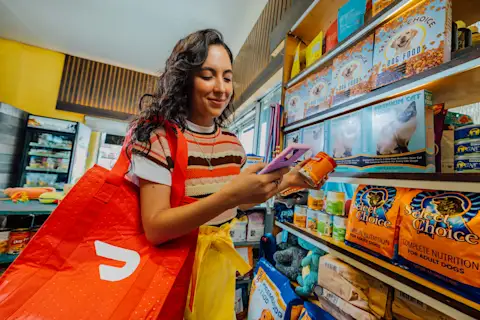
A few decisions before launch help your team fit delivery orders into the workday. Plan these five areas of operational preparedness:
Order receipt: Choose who monitors incoming orders on a tablet or through your POS integration.
Picking and packing: Name one person per shift to pick and pack each order.
Dasher pickup: Set up a clearly marked pickup spot near your entrance.
Packaging: Decide how to pack fragile or bulky items before your first order arrives.
Delivery hours: Set delivery hours that match when your staff can fulfill orders.
Before launch, walk your team through a practice test order, from receipt to pickup, so each person knows their role. You don’t need to hire delivery drivers or manage a fleet. Dashers pick up orders from your store and deliver them to customers through DoorDash.
Step 5: Know what to expect when your store goes live
On DoorDash, retail delivery starts when a customer completes checkout in the app. Your store receives a notification to confirm the order, and your staff prepares the items. A Dasher then picks up the order for delivery.
Once live, your store appears in an app with a large audience. DoorDash has over 56 million monthly active users (MAUs).* Customers can track their order after checkout. To estimate costs, contact DoorDash for pricing for your business.
*Based on the combined amounts for DoorDash, Wolt and Deliveroo, measured as of December 2025.
Step 6: Build momentum in your first 30 days
DoorDash can help you reach customers beyond your regulars. 85% of DoorDash consumers are incremental to merchants’ existing businesses.* Add these three actions to your go-to-market strategy for the first 30 days:
Tell your shoppers: Let in-store customers know you offer delivery, and share the news with your email list through your usual email marketing. Teona Miller, Owner of Hair & Beauty Maze, spreads the word with fliers: “My fliers say, ‘Bad weather? No car? No problem. I’m available on DoorDash.’”
Keep your catalog accurate: Update inventory counts so items don’t go out of stock mid-order, and place purchase orders early for your best sellers.
Consider growth tools: Once orders start, Promotions or Sponsored Listings can help more nearby shoppers find your store.
Another beauty retailer, Kesha Beauty Supply, shares its DoorDash experience in a merchant story. If you’re launching in Q4, add our Black Friday checklist to your launch plan.
*Third-party data analysis via YipitData fiscal year 2024 Transactions across US on-demand delivery, including Restaurant and non-restaurant categories.
Bring your store to more local shoppers
Reach nearby customers who want same-day convenience, without hiring drivers or changing how your store runs. You now know whether you qualify, what to prepare, and which setup path fits your business. Your next step is to sign up.
Get started with DoorDash Retail