Restaurants

How to Write Menu Descriptions That Sell (With Examples)

Learn how to write restaurant menu descriptions that drive online orders. Get real examples, common mistakes to avoid, and a framework you can use today.

13 October 20266 min read
TJ Schachner photo
TJ SchachnerTJ Schachner

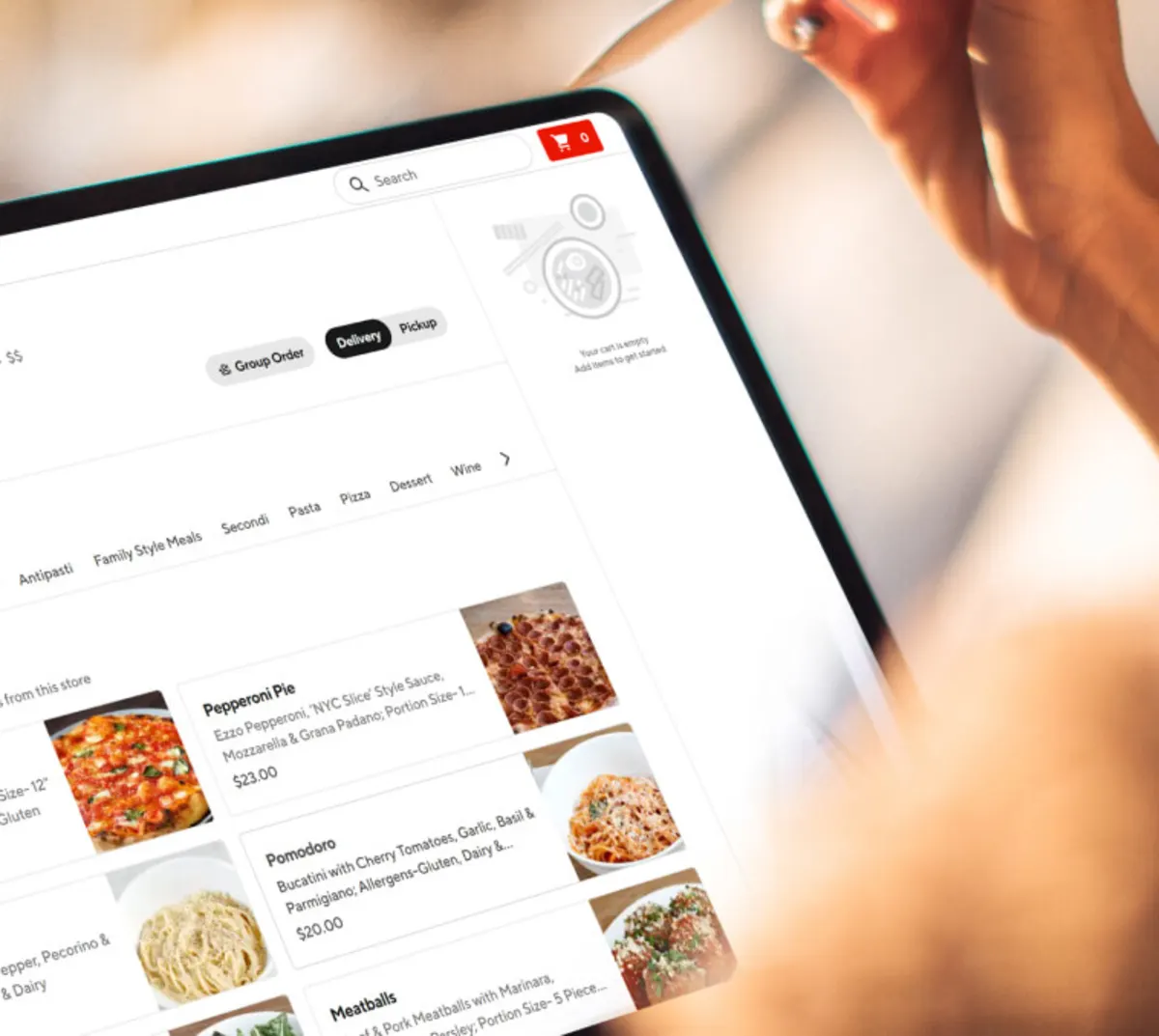
According to the DoorDash Restaurant Reservations and Operations Trends Report 2026, 93% of consumers have chosen items on delivery apps because of detailed, appealing menu descriptions. On a delivery app or your online ordering menu, customers decide based on your menu text and photos. There's no server to explain a dish or suggest a side.

If your menu items list only a name and a few ingredients, customers may be left with questions. This guide explains how to write menu descriptions that give customers the information they want, help your menu stand out online, and create a stronger experience that can keep customers coming back.

You'll learn six rules for writing restaurant menu descriptions that can lead to more online orders. You'll also see before-and-after examples, common mistakes to avoid, and a three-step plan to update your full menu in one sitting.

TL;DR

  • Online customers choose dishes based on menu descriptions because no server is there to explain them.

  • Strong descriptions open with a key ingredient, cooking method, or flavor profile, using concrete sensory words like "crispy" and "smoky."

  • Keep each description to one or two sentences, with dietary labels like gluten-free or vegan at the end.

  • Before-and-after examples show how a few edits make a bare ingredient list easier to order from.

  • Avoid vague listings, confusing culinary terms, exaggerated claims, and outdated descriptions.

  • Discover how you can use AI to start rewriting your menu descriptions 

Why menu descriptions drive online orders

A menu description might  look like a small detail,but on digital channels, it can be the difference between a customer ordering from your restaurant or choosing a competitor instead.

Your menu description is your online sales pitch

How you describe a dish changes whether people choose it. In a Stanford University study, a campus dining hall gave the same vegetable dishes plain names or flavor-focused descriptions. Dishes described by their taste and texture got 25% more diners to choose them than dishes with basic names like “green beans.”

The same pattern shows up on DoorDash. Adding descriptions to at least half your menu can increase sales by over 6% on average (based on internal DoorDash analysis of SMB merchants adding merchant-written descriptions to at least 50% of menu items, 2023–2025).

Descriptions need to be complete everywhere you sell food. If they're missing or inconsistent on your website or app, customers there have less information to order from. Use the same clear descriptions on every channel where your menu appears.

What customers want to see

DoorDash Industry Trends Report 2026 found these factors make menus easier to navigate:

  • Clear information on what's included, such as sides, sauces, and add-ons (52%)

  • Menu photos that clearly match the exact item (47%)

  • "Most popular" or "best seller" labels (31%)

  • Portion size cues (27%)

The report found that 59% of consumers actively look for allergen or dietary information when ordering food. Use these findings as a checklist for each menu item. Customers want specific details over flowery language.

6 rules for writing menu descriptions that drive orders

The six rules below form a simple formula for menu writing:

[Cooking method] + [key ingredients] + [texture or flavor] + [what's included] + [dietary label]

For example: "Chargrilled salmon with crispy smashed potatoes and lemon-dill sauce. (GF)"

Not every item needs every part. Use the rules below to decide what to include.

Lead with what makes the dish special

Open each description with the one detail that sets the dish apart. Ask yourself what gives the dish its uniqueness, and put that answer first.

"Wood-smoked brisket" says more in two words than "Our brisket plate served with sides" says in six.

Put these details in the first few words:

  • Locally sourced ingredients, such as produce or meat from a nearby farm

  • House-made items, like sauces, pasta, or bread

  • A specific cooking method, like slow-cooked, chargrilled, or hand-pulled

Examples:

  • House-made fettuccine tossed in garlic cream sauce

  • Slow-cooked pork shoulder rubbed with ancho chili

  • Chargrilled chicken thighs in a lemon-herb marinade

Of course, only use terms like "locally sourced" or "house-made" when they're accurate.

Use sensory words with concrete details

Sensory language describes how food tastes, feels, and smells. Words like crispy, crunchy, smoky, and tangy give customers a clearer picture of a dish before they order.

Choose vocabulary that describes something physical:

  • Texture: crispy, crunchy, creamy, tender, flaky

  • Flavor: smoky, tangy, savory, sweet, zesty

  • Aroma: roasted, toasted, buttery, spiced

"Delicious," "mouthwatering," and "tasty" evoke a feeling without specifics. Test each adjective by asking whether it describes texture, flavor, or aroma. If it doesn't, cut it.

Before: Delicious fried chicken with tasty sauce.
After: Crispy buttermilk fried chicken drizzled with honey hot sauce.

Before: Mouthwatering house soup.
After: Slow-simmered tomato basil soup with toasted sourdough.

Before: Our amazing cheesecake.
After: Creamy vanilla cheesecake on a graham cracker crust, topped with fresh raspberries.

Keep it short and mobile-friendly

According to the DoorDash Restaurant Reservations and Operations Trends Report 2026, 64% of consumers almost always order delivery on their phones. Because you have limited real estate on a smartphone screen,aim for one to two sentences per item. Long descriptions push key details further down a small screen.

To keep descriptions short:

  • Cut words that repeat the dish name.

  • Remove filler phrases like "made with love" or "a true classic."

  • Break long text into short lines instead of one dense block.

Apply the same rules to an interactive menu on your own website.

Be clear about dietary and allergen details

Customers looking for allergen or dietary information need to find it quickly. The National Restaurant Association's 2026 What's Hot Culinary Forecast listed clear menu labeling, icons, and cues as a top industry trend.

Use short labels instead of long explanations:

  • GF: gluten-free

  • V: vegetarian

  • VG: vegan

Spell out less common labels, like low-carb or dairy-free, so customers don't have to decode them. Place labels at the end of the description, after the flavor and key ingredients. This adds clarity without cluttering the text.

Before you add a label, check the whole dish, including sauces, dressings, and sides. A gluten-free label on a dish with a flour-based sauce can harm a customer and damage trust.

Match your descriptions to your brand voice

Your descriptions should sound like your restaurant. A casual taco spot and a fine-dining steakhouse should read differently.

  • Casual taco shop, fun, and playful: "Two crunchy fish tacos loaded with chipotle slaw and fresh lime. Grab extra napkins."

  • Fine-dining steakhouse, elegant but easy to read: "Dry-aged ribeye with roasted shallot butter and charred broccolini."

  • Neighborhood deli, simple and generous: "Hot pastrami piled high on rye with spicy brown mustard."

Keep one tone across the full menu. Switching between formal and casual language can confuse customers and weaken your brand. Restaurant brands with several locations should use one voice across all menus.

Need help defining your restaurant's brand voice?? Start with our restaurant description ideas guide.

Front-load key details for scanners

Write for customers who scan menus instead of reading every line. Put the most important details in the first three to five words: the main protein, cooking method, or flavor profile.

Avoid generic openers like "Our famous..." or "A customer favorite...".

Before: A customer favorite, our sandwich features slow-cooked pulled pork and coleslaw.
After: Slow-cooked pulled pork sandwich with tangy coleslaw on a toasted bun.

Keep in mind that some third-party ordering apps shorten descriptions in preview mode. In those cases, the first few words may be the only ones customers see.

Each example below fixes a different common problem: too bare, too long, or missing dietary details. For more inspiration, take a look at some of our restaurant menu examples.

Example 1: A bare ingredient list vs. a full description

Before: Chicken Sandwich: chicken, lettuce, tomato, brioche bun.

After: Crispy buttermilk fried chicken breast with butter lettuce, tomato, and house garlic aioli on a toasted brioche bun. Served with seasoned fries.

What changed:

  • The cooking method and texture come first.

  • House-made garlic aioli sets the dish apart.

  • The included side appears in the text, one of the top details customers look for.

A full description covers how the dish is made, what's in it, and what comes with it.

Example 2: An overwritten description vs. a focused one

Before: Indulge in our exquisite artisan burger, handcrafted with care by our talented kitchen team. We start with a premium beef patty from local pastures. Then we add luscious, velvety cheddar and perfectly caramelized onions. It's a dining experience you'll never forget.

After: Locally sourced beef patty with aged cheddar, caramelized onions, and house pickles on a toasted potato roll.

What changed:

  • Adjectives like "exquisite," "luscious," and "velvety" are gone because they don't describe the food.

  • The locally sourced detail moved to the front.

  • Four sentences became one.

Every word should describe the food, set the tone, or help the customer order.

Example 3: Missing dietary details vs. clear labels

Before: Grain Bowl: quinoa, sweet potatoes, avocado, pumpkin seeds, tahini dressing.

After: Warm quinoa bowl with roasted sweet potatoes, sliced avocado, toasted pumpkin seeds, and lemon tahini dressing. Sweet potatoes from [local farm name]. (GF, VG)

What changed:

  • Sensory words like warm, roasted, and toasted describe the dish.

  • A short sourcing callout shows where the ingredients come from.

  • GF and VG labels sit at the end.

Clear labels build trust, especially with first-time customers ordering online.

output.auto

Common menu description mistakes that cost you orders

Listing a dish name with no description. A name like "House Special" leaves customers unsure what's in it, how it's cooked, or what comes with it. Add at least the key ingredients and cooking method.

Using culinary terms customers don't know. Terms like "sous vide" or "chiffonade" can confuse customers. Swap them for plain words, like "slow-cooked" or "thinly sliced." If a term is part of the dish's name, explain it briefly: "duck confit (slow-cooked in its own fat)."

Overpromising with superlatives. A line like "The best burger you've ever had" sets expectations the food may not meet. Describe the ingredients and cooking method instead.

Writing descriptions once and never checking them. A description may look fine on a desktop site but cut off on a phone. Check how each item appears on your website, your app, and delivery apps. Update your online menu whenever ingredients, portions, or preparation change, so orders match what customers expect.

How to update your menu descriptions without starting over

You don't need to rewrite your full menu at once. Use this three-step process:

  1. Rewrite your top 10 best-selling items first. These dishes receive the most orders, so edits there reach the most customers. Proper menu engineering should help you identify which items to prioritize, and AI-generated menu descriptions can speed up first drafts.

  2. Review each remaining item against the six rules. Fix the weakest descriptions next, such as items with no description or no dietary labels. While you're there, check that each item aligns with your overall DoorDash menu design.

  3. Keep descriptions consistent across channels. Match the text on DoorDash Marketplace, your website, your app, and your in-store menu. When a dish changes, update it in your point-of-sale (POS) system too. A POS is the system that takes orders and payments.

Updating the same menu on several platforms by hand adds extra work. With Direct Ordering, your online ordering menu pulls straight from your DoorDash Marketplace menu, so a description you rewrite once shows up in both places.

That means the work you put into your descriptions pays off twice — once on Marketplace, and again on your own ordering site. Adding Direct Ordering can increase sales by up to 8% of current Marketplace sales (based on internal DoorDash data from Jan 2025 through May 2025).

How to use AI to write menu descriptions

Putting these menu description tips into practice doesn’t have to be time-consuming. AI can help you create stronger first drafts faster, giving you a starting point you can refine to match your food, brand, and customer experience. Clearer, more informative descriptions can help customers decide what to order — and create a better ordering experience that can keep them coming back.

Here are two simple ways to get started:

Use a Generative AI Tool Like ChatGPT or Claude

One simple way to generate menu descriptions is by using generative AI like ChatGPT or Claude. These tools can help you draft descriptions more quickly, test different tones, or refresh existing copy across your menu.

To get the best results, give the tool specific details about the dish, such as:

  • The item name

  • Key ingredients

  • Preparation style

  • Flavor profile

  • Portion details

  • Customizations or add-ons

  • Anything that makes the dish stand out

The more specific your prompt is, the more useful the draft is likely to be.

Use DoorDash’s AI Description Generator

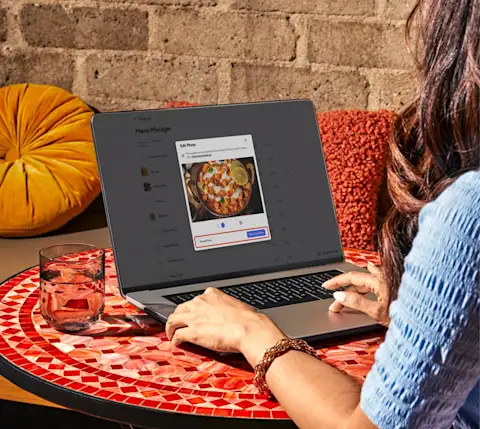
If you’re already on DoorDash, you may have access to our AI Powered Merchant Tools. It uses information you’ve already added — such as the item name, photos, and modifiers — to generate a draft description for a menu item.

From there, you can:

  • Keep the suggested description as is

  • Generate another version

  • Edit the draft manually before saving

This can be a fast way to build or refresh descriptions across your menu while keeping control over the final wording.

Use your new descriptions on every ordering channel

Your new descriptions do the most good when every customer sees them — not just the ones who find you on Marketplace. As covered earlier, missing details on your website or app leave customers there with less to order from.

DoorDash Direct adds commission-free Direct Ordering, a branded website, and a branded mobile app to the Marketplace presence you already have. Orders on these channels carry no commission (the per-order fee a platform charges) — only payment processing fees. All three run on your Marketplace menu, so a regular reordering from your app sees the same clear, well-labeled dishes a first-time customer saw on DoorDash.

Get Started with DoorDash Direct

Recent Posts

All updates
Mx - How to Attract New Customers to Your Restaurant - Header
18 June 2026 · 12 min read
How to Attract New Customers to Your Restaurant

From loyalty programs to email marketing and from special events to promotions, here are some easy ways to attract new customers to your restaurant and boost sales.

Read more

Frequently asked questions

A menu description is the short text under a dish name on a menu. It covers key ingredients, cooking method, flavor profile, and dietary details.

One to two sentences works for most menu items. That length covers the key details and still reads easily on a phone.

Yes. In a Stanford study, flavor-focused descriptions got 25% more diners to choose a dish. On DoorDash, adding descriptions to at least half your menu can increase sales by over 6% on average (based on internal DoorDash analysis of SMB merchants adding merchant-written descriptions to at least 50% of menu items, 2023–2025).

Update a description whenever the dish changes, including ingredients, portions, or preparation. Review your full online menu when you add or remove seasonal items.

Keep the core description the same so customers recognize the dish. On your online menu, add the details a server would normally share, like included sides, sauce options, and dietary labels.