Local retail delivery is on the rise. IBISWorld estimates the US couriers and local delivery services industry at $241.3 billion in 2026, up 4.0% from the prior year. Online shopping keeps growing too. US retail e-commerce sales reached $340.2 billion in the second quarter of 2026, up 12.2% from the same quarter in 2025, according to the US Census Bureau.
Big-box stores and national retailers aren’t the only businesses that can offer fast delivery. With flexible retail delivery partners like DoorDash, independent and local stores can offer same-day delivery and pickup to shoppers in their neighborhood.
What is a DoorDash retail order? This article follows a DoorDash retail order from checkout to handoff. It shows how retail delivery and pickup can work for businesses like yours.
“As a retailer, DoorDash is the mobile convenience you didn’t know you needed.”

How do customers find my store on DoorDash?
Once your store joins DoorDash, customers can find your business, browse your products, and place orders from the DoorDash app.
Your retail store on DoorDash
After you sign up, customers can find your store by searching for local retail stores and products on the DoorDash Marketplace. DoorDash has over 56 million monthly active users (MAUs).*
*Based on the combined amounts for DoorDash, Wolt, and Deliveroo, measured as of December 2025.
The DoorDash app lists retail shops alongside restaurants, grocery stores, convenience stores and flower shops. A customer shopping for beauty supplies can find your store in the same app they use to order dinner. Stores that mainly sell groceries, flowers, pet supplies, or convenience items use separate DoorDash products.
Your store has its own page, where you can feature your brand and list the retail items you sell. You control your listing, including products, prices, delivery hours, and more.
The customer experience
Placing a retail order works the same way as ordering dinner on DoorDash. A customer adds items to their cart, chooses delivery or pickup, and pays at checkout in the app or online. They then receive an estimated delivery or ready time. Customers can order for same-day delivery or schedule orders up to two weeks in advance.
How do retailers receive DoorDash orders?
When a customer places a DoorDash retail order, your store receives a notification on a tablet or through your point of sale (POS) system:
Tablet: Stores with an Android or iOS tablet can use the Order Manager app to receive, organize, and track pickup orders and delivery orders. You can use your own tablet or rent one from DoorDash for a small weekly fee.
POS: DoorDash integrates with several technology providers, including Redcat and Deliverect. Learn more about DoorDash integrations.
Prefer to use your phone? Download the Business Manager app to track retail orders and sales from a mobile device.
On a tablet, a blue screen shows how many orders need attention. Tap the screen to view the order and check for any issues. DoorDash suggests a prep time, or you can enter your own. Tap “Confirm” at the bottom of the screen to accept the order and share an estimated delivery time with the customer.
How does DoorDash delivery work for retail items?
Once you confirm an order, prepare the items for delivery or customer pickup. For same-day delivery orders, a Dasher arrives at your store, collects the order, and brings it to the customer’s address. Dashers deliver orders through DoorDash, so your store doesn’t need to hire delivery drivers, manage a fleet, or arrange outside delivery services.
Use the Order Manager app or the Business Manager app to track the Dasher’s progress and communicate with them along the way. When the order is complete, mark it complete in the app.
What is retail pickup on DoorDash?
Retail pickup on DoorDash lets a customer find your store in the DoorDash app, order and pay there, then collect the order at your store. Your staff prepares the order just as they would for delivery, but no Dasher is involved.
DoorDash retail pickup gives local shoppers one more way to buy from your store. Pickup orders follow the same tablet flow described above, with no extra hardware or change to how orders arrive. Only the handoff is different.
How a retail pickup order works
Every DoorDash order pickup follows the same basic flow:
The customer chooses pickup. A shopper grabbing a skincare restock or printer ink on the way home selects pickup at checkout and pays in the DoorDash app.
The order arrives labeled Pickup. It appears on your tablet, POS integration, or Business Manager app, marked Pickup rather than Delivery.
Staff confirm and set a ready time. Your team reviews the items, confirms the order, and sets a ready time.
Staff pack the order and mark it ready. Marking the order ready notifies the customer that it’s waiting at your store.
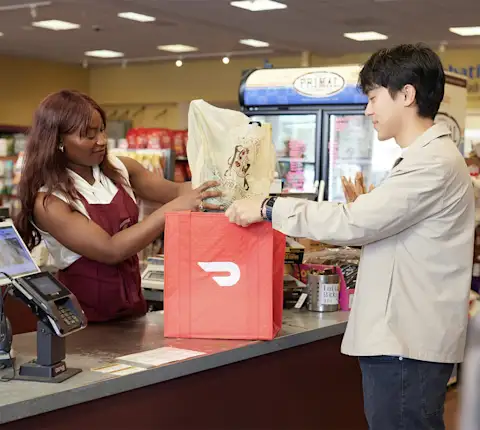
The customer collects the order. The customer arrives and tells staff they’re picking up a DoorDash order. As a best practice, check the customer’s name against the order before handing it over.
Retail pickup vs. delivery: what’s the difference?
Retail pickup | Retail delivery | |
|---|---|---|
Who collects the order | The customer | A Dasher |
Label on the tablet and in Merchant Portal | Pickup | Delivery |
What staff do at handoff | Hand the order to the customer | Hand the order to the arriving Dasher |
Customer delivery fee | None | Applies |
Merchant cost | Contact DoorDash for pricing for your business | Contact DoorDash for pricing for your business |
Dasher materials use similar terms for different workflows. On a Shop & Deliver order, a Dasher shops for the customer’s items in-store, pays with a DoorDash-funded Red Card, and delivers the order. On a Shop Only order, a Dasher shops and pays the same way, then leaves the bags on pickup shelves for the customer. With DoorDash retail pickup, your staff prepare the order and the customer collects it at your counter, with no Dasher or separate retail pickup network involved.
How to set up pickup for your store
Pickup is automatically available for most merchants once onboarding is complete. To check or add it, open Merchant Portal, go to the Solutions Center tab, scroll to Grow Online, find Pickup, and click + Add Feature.
Add pickup instructions in Account Settings so customers know where to go. Pair these instructions with a clear pickup spot in your store, covered in the tips below.
Pickup orders appear alongside delivery orders in the Merchant Portal Orders view, so staff can track every order in one place. For sales trends across both, see “Get order insights” below.
Like delivery, pickup is one more way retail delivery can boost your store’s growth.
Get order insights
How are your retail delivery sales trending? Which items sell best on DoorDash? The Order Manager app and Business Manager app show key data points such as net sales, average order size, unique customers, and best-selling items. You can also track business performance in the Merchant Portal. Use these insights to plan inventory and grow your retail delivery and pickup sales.
Tips for DoorDash retail delivery success
Whether you’ve offered local delivery for years or are new to same-day delivery, these best practices from experienced retailers on DoorDash can help.
Make the pickup process easy
Choose a spot in your shop where Dashers and pickup customers can collect orders without disrupting the sales floor. Clear signage helps them find the spot and leave quickly.
Consider simplifying your DoorDash menu
Offering variety helps, but a pared-down selection on DoorDash can save your team time, whether you sell toys, stationery, or home goods. A shorter listing lowers the chance of a customer ordering an item that’s out of stock. Focus on your best-selling items and look for other ways to streamline.
For example, Jaime Morrison Curtis, owner of Greenwood Shop, a plant and gift shop in Los Angeles, doesn’t list twelve separate incense scents. Instead, the product description notes that her team will pick the scent, and customers can request one in the comments section. The change has saved her team time, and her customers are just as happy as before.
“You really want to think about things that are easy to deliver, and that you’re going to always have in stock. The last thing any customer on DoorDash wants is for you to have to call them to confirm something when they’ve ordered it online.” — Jaime Morrison Curtis, Founder and Owner, Greenwood Shop
Promote your retail delivery options in store
For many DoorDash merchants, in-store and online customers overlap. Some of Jaime’s regulars now order delivery when they’re in a rush.
“DoorDash is another sales channel for us. We even have people who come into the shop who saw us for the first time on DoorDash. From a marketing and branding perspective, having more eyes on your business is always a win.” — Jaime Morrison Curtis, Founder and Owner, Greenwood Shop
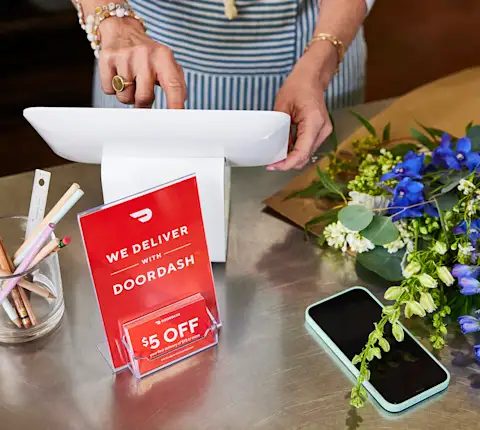
Let your in-store customers know you deliver. Regulars who already use the DoorDash app for grocery delivery or snacks might not know your store is on it too. Contact your DoorDash Merchant Experience Partner (MXP) at mxpsupport@doordash.com to request free stickers and signage for your store.
Teona Miller, owner of Hair & Beauty Maze in Dayton, Ohio, displays DoorDash stickers in her store windows and creates her own fliers for customers. “My fliers say, ‘Bad weather? No car? No problem. I’m available on DoorDash,’” she explained.
Have a website? Add a DoorDash link so customers can place retail orders directly.
Boosting your visibility with promotions and sponsored listings
Retailers on DoorDash can opt in to marketing tools like promotions, which offer discounts to new and returning customers. Sponsored listings place your store at the top of search results and in other highly visible spots in the DoorDash app.
Depending on your plan, your store may also reach DashPass members, DoorDash’s subscription customers, who get $0 delivery fees and reduced service fees on eligible orders.

Sign up for retail same-day delivery with DoorDash
Ready to grow your retail delivery sales? Adding local retail delivery is a great way to boost your competitive offering. Partnering with DoorDash can help you connect with more customers in your neighborhood, grow your retail delivery orders, and offer the delivery and pickup convenience your customers are looking for.
Get started with DoorDash Retail