Restaurant point-of-sale (POS) systems are among the most popular tools in the restaurant technology stack, with the market for modern POS systems predicted to hit nearly $71 billion by 2029.
That's because modern systems have the potential to drive smarter, faster restaurant operations and boost profitability. But to realize that potential, restaurant owners need to choose the solution that makes the most sense for their particular business.
What is a POS?
Many restaurant owners will be familiar with a POS system in some form. But for those who may be thinking of opening a restaurant and are new to the business, this is a technology that's vital to understand fully.
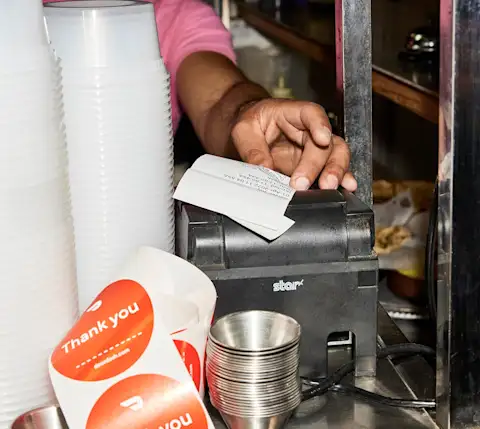
The main function of a restaurant POS system is to help your business accept, process, and fulfill orders. POS systems for restaurants can include hardware such as payment terminals, receipt printers, and display units, and software such as payment processing and inventory management applications.
How do POS systems for restaurants work?
Your POS system will be engaged in some capacity every time an order is placed. It will receive, relay, and record the details of the order, and then process payments when customers are ready to pay. As it logs all this information, most modern POS systems for restaurants will cross-reference with your inventory so you can keep your supplies up to date.
The benefits of a POS system
A POS system helps protect against errors while making operations more efficient for both front-of-house and back-of-house employees. It also enhances the customer experience by enhancing speed and accuracy.
With their varied functionality, it's no wonder that 86% of restaurants use POS data to inform marketing and promotional strategies and consult their data when developing new customer retention and acquisition programs. Here's a breakdown of some of the key benefits these solutions offer.
1. Track sales data
Each order that customers place is entered into the POS system. This provides a powerful repository of real-time information and restaurant analytics that you can use to understand sales trends by the hour, day, week, month, or year, as well as obtain insight into top-performing menu items and customer preferences.
2. Monitor inventory
There are few things more frustrating than realizing you can't fulfill an order because a key ingredient is out of stock. Modern POS systems for restaurants can be integrated with inventory management tools so that supplies are actively tracked as menu items are ordered, and this is a huge advantage for restaurant owners. It also helps reduce the costs associated with food waste, because you can restock on an as-needed basis.
3. Increase efficiency
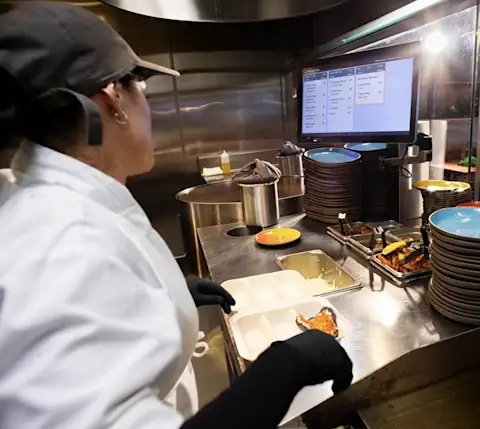
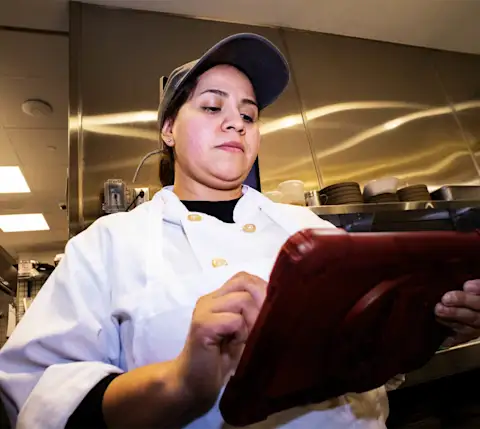
POS systems for restaurants can boost efficiency from the front door to the back burner. Examples include floor management solutions for reservations and seating, as well as direct interfaces between the dining room and the kitchen, so that cooks can see orders and dietary specifications and change requests without relying on printed tickets. The flexibility of POS systems allows them to integrate with a wide range of restaurant technology, including third-party platforms that streamline the delivery process.

"Having [DoorDash] integrate into Toast has been a game-changer in terms of efficiency, which is great for labor savings."
4. Offer more payment options
The efficiencies realized by POS systems extend right to the moment when guests are ready to pay their bill. Whether they want to pay with cash, card, or contactless payment solutions such as QR codes, Apple Pay, or Google Pay, newer POS systems are making it easier than ever for customers to choose their preferred payment method.
5. Automate processes
Program additional automations into sophisticated POS systems to regularly pull sales data into reports which are sent straight to your inbox. This ongoing feedback creates the potential for efficiencies like automatically reordering ingredients as soon as they run low.
6. Add tipping functionality
POS systems incorporate dollar amounts or percentages for tips directly into the payment interface, and this ease of use helps to boost overall gratuities for servers. This increased rate of tipping, along with a POS system’s data-tracking capabilities, makes a difference in ensuring proper employee compensation.
7. Boost customer loyalty
For restaurants, there's nothing more valuable than returning and recurring customers. Best-in-class POS systems can incorporate loyalty programs in a variety of ways — for instance, by integrating with a third-party loyalty vendor, or by offering built-in capabilities. By tracking customer sales and preferences, restaurants can customize offers to bring guests back. Research demonstrates that when POS software has loyalty functionality, average ticket size can grow by as much as 46%.
What should restaurants consider when choosing a POS system?
As you vet the offerings of different POS vendors, keep in mind overall user-friendliness, compatibility with other restaurant software systems, privacy and security, and total cost of ownership.
Do market research by investigating the various POS vendors available and comparing their features and functionality, and asking fellow restaurant owners which systems they prefer. Here are ten factors to pay attention to as you start your search.
Ease of use: Consider how simple the interfaces are for you, your front-of-house and back-of-house teams, and your customers. Each of these user experiences is distinct, but they should all be as seamless as possible. You should also check if system updates are installed automatically by the vendor to ensure you always have the latest version of any software.
Trials: When evaluating different POS systems for restaurants, make sure you are able to test them before you come to a final decision. Free demos are a common offering among today's POS vendors, and try-before-you-buy avoids potential issues at a later date.
Employee management: Did you know POS systems can even help you keep track of staff timesheets? Many are equipped with clock-in and clock-out capabilities. They can also support processes such as scheduling, time off, and payroll.
Menu management: Not only can a POS system help you track the popularity of your menu offerings thanks to the sales data it aggregates, but it can also help you gauge the cost effectiveness of each item since it also collects information on your inventory of ingredients. This is a great way to engineer your menu to simultaneously delight your guests and save money.
Sales reporting: With data on everything from sales to staffing to supplies, it's no wonder restaurant owners value POS systems for their reporting and analytics capabilities. A constant source of real-time business metrics lets you make more strategic decisions and optimize your restaurant's performance.
Data storage: When customers transact with you, the data you collect doesn't just include the sale — it may include customer data and credit card information. How does the POS system handle this information? If it's a cloud solution, confirm that it complies with data protection and security requirements.
Flexible order taking: Prioritize a POS system that preempts and prevents any source of potential payment friction, whether online or in your dining room. Debit, credit, and contactless payment solutions should all be supported.
Costs: The price of POS systems can vary greatly across vendors. While it may be tempting to look at less expensive options, consider calculating the return on investment (ROI), which includes all the time — and therefore, money — you can save with a highly efficient solution that helps you optimize, grow, and win new and repeat customers. Note that some leading POS providers offer free trials or affordable packages for small businesses.
Integrations: At a fundamental level, you'll want to make sure that a new POS system can communicate with existing hardware and software for your business. A survey of restaurateurs shows that 69% consider software integrations with other systems to be the most important factor when assessing POS systems. But you'll also want to think about their integrations with loyalty programs, e-commerce and online ordering platforms, third-party delivery platforms, and more.
Visit our integrations page to browse through DoorDash Preferred Integrations and other reliable providers to see their performance health and feature offerings.Support services: A POS system can become the centerpiece of your operations, so you'll want to make sure the vendor provides extensive customer support to help troubleshoot issues. Even better, they might offer training for your team.
Customizability: Top POS vendors are accustomed to working with restaurants of all kinds — from quick service, food trucks, and cafés to fine dining establishments and large chains. Be detailed in your requirements and expectations and work with reps to craft a solution that's right for your business. On the other hand, there are niche solutions designed specifically for unique needs, such as POS systems for coffee shops or non-English speaking restaurant staff members, so be sure to look at all customizable options.
Hardware offerings: Some POS providers stand out because of their hardware offerings — whether it's providing card readers or tablets free of charge, or designing their hardware to be waterproof.
What types of POS systems can restaurants use?
A full-service restaurant may have different needs for their POS than a quick service one. Fortunately, there are numerous types of POS systems available to meet your requirements, whatever they may be.
In-store
In-store POS systems are perhaps the most classic model and first thing that comes to mind when you think of point-of-sale technology. Installed for on-premises use, they include devices such as terminals and display units hardwired to the actual building.
Touchscreen and mobile
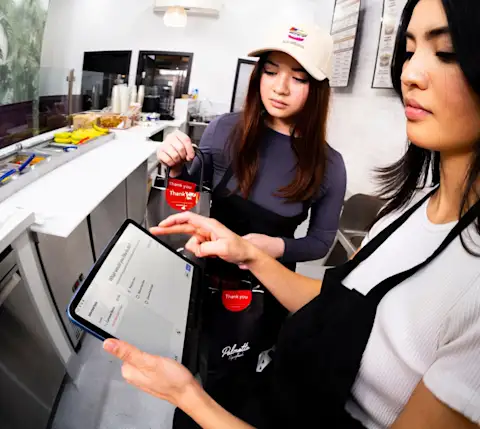
Touchscreen or mobile POS systems take the portable devices you use every day and embed them with software tools for accepting orders, tracking inventory, processing payments, and more. Minimal hardware, such as card readers and dockets, may be required.
Multichannel
Multichannel POS systems are designed to span the full spectrum of touchpoints where customers may interact with your brand. These can include any sales, inventory, employee management, operations, and marketing platforms you rely on, which can offer rich sources of data for insights to help you streamline your business.
Cloud-integrated
A cloud POS system is hosted by a third-party provider — as with any online service, you log into your account to access your data to help you manage your business. Cloud-based POS systems are becoming the industry standard. In 2017, just 30% of POS systems were cloud-based — five years later, in 2022, that number increased to 53%.
Dedicated server
A dedicated server POS for your business is a more niche option for certain restaurants. These systems are purpose-built for restaurants that tend to have highly unique offerings and customizable menus. Because they're meant to support the highly specific needs of the restaurants that use them, they're noted for their vast scalability and their capacity to support virtually any amount of software and terminals, but are costly to develop and maintain.
Open source
If you're a computer wiz with plenty of POS experience, there are open-source POS systems that let you use web-based tools to develop custom solutions for your restaurant business. This is more popular among large enterprises that have technical expertise on-staff.
Unlock the potential of POS systems for restaurants
While their primary purpose is to facilitate payment, modern POS systems can support restaurants across many aspects of management and operations, from running a restaurant loyalty program to producing robust reporting and analytics.
These wide-ranging capabilities offer a route to greater efficiency and potential profitability for your restaurant. Customers can receive more efficient service, and because you can leverage POS data to identify and promote your most popular items, keep inventory in stock, and track guest preferences, you can keep those customers coming back.
More streamlined operations means you can dedicate more of your creative energy to devising new ways to grow your business and differentiate yourself from the competition. For all these reasons, a POS system is a powerful way to help your restaurant go further, faster.